Seamless Textures
May 8th, 2007 by SteveI’ve added more seamless textures to the site, available to anyone for no cost (as always). These are mostly fractal based, but have several different looks, so be sure to take a look. To change the background of a web page, add this line to your style sheet:
body { and change the folder and filename to match the image that you want to use.
background-image: url(http://www.xanadu-fx.com/tiles/folder/filename); }
Using an image editor such as Photoshop or Fireworks, or a free online editor like the one found at www.myimager.com, you can change any of the free textures to suit your needs.
Here’s an example using one of the fractal tiles. The original looks like this: 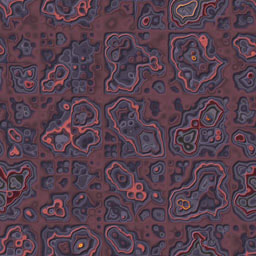
Change the hue, and you can get something like this: 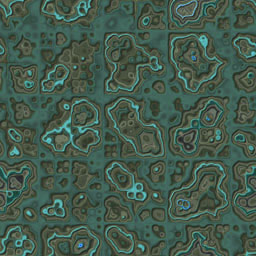
If you have light colored text or artwork, you might want to darken the background:
Change the hue and make it darker: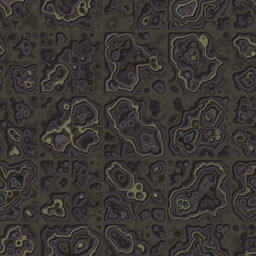
Try the inverse (or negative) function too: 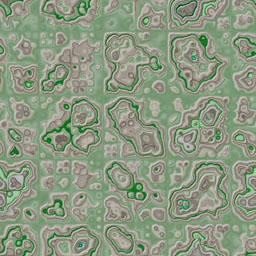
The main thing to remember, is to just try everything and see how it looks!
Posted in , | 7 Comments »
December 24th, 2012 at 10:19 am
Thanks for your post. Another item is that being a photographer requires not only problem in capturing award-winning photographs but additionally hardships in acquiring the best dslr camera suited to your needs and most especially challenges in maintaining
the standard of your camera. That is very true and visible for those photographers that are into capturing the particular nature’s engaging scenes — the mountains, the forests, the actual wild or seas. Visiting these daring places certainly requires a dslr camera that can surpass the wild’s severe conditions.
March 21st, 2013 at 12:24 pm
Your textures have your logo on them.
If there’s a way to get around that, you might say so. Otherwise, they’re kinda useless. 🙁
Thanks anyway.
September 11th, 2015 at 2:04 am
Having one of the largest databases of players, a hugely invested tactics system, the now bog
standard transfer and staff features, ability to view training and managing the 8 individual stat parameters each
player were given, Player Manager had many things
going for it. We all know the world’s best football players
are courted by the football boot manufacturer’s; they send them free samples, pay them astronomical fees
to tie them into contracts to wear their footwear, and the players happily sign-up.
Also, according to numerology, 9 is wired with artistic flair and
scientific genius.
November 28th, 2015 at 1:00 pm
As managers, they will be in charge of teams comprising cyber experts.
They serve several destinations among them being Manchester city centre, Northenden, Fallowsield,
Buxton, Disley and many more. Individuals that need a ride from Salisbury to Gatwick should consider taking a taxi.
December 31st, 2015 at 12:40 pm
The airport limousine service is especially great for business
travelers and especially for those business travelers who have clients or partners with them.
There is no other way to arrive in style than arriving on a limousine by limo
services Pittsburgh. The Limo Your Choose Another important thing you should remember to do is inspect the vehicle inside out.
October 21st, 2018 at 9:19 pm
I have noticed you don’t monetize your website, don’t waste your traffic, you
can earn additional bucks every month. You can use the best adsense
alternative for any type of website (they approve all websites), for more
details simply search in gooogle: boorfe’s tips monetize your website
December 6th, 2018 at 2:42 am
Remarkable! Its genuinely amazing piece of writing, I
have got much clear idea about from this piece of
writing.